Meta Ads · 24 August 2026 · 5 min read · 558 sites checked
Your Meta ads can't tell you which one produced a customer
We checked 558 Indian businesses running Meta ads last week. 160 had no ad tag on their homepage at all. Here is the thirty-second check you can run on your own site, what each result means, and what to do about it.

Built Admiral · runs the audits on real accounts
Last week we pulled every Indian advertiser we could find in Meta’s public Ad Library (558 businesses with live ads, across clinics, coaching institutes, interior designers, jewellers, gyms and thirty other trades) and fetched each of their homepages to see what tracking was on it.
160 of them had no ad tag on the homepage at all. No Meta Pixel, no Google tag, no Tag Manager container. Nearly a third of businesses actively paying Meta cannot tell which of their ads produced a customer, because nothing on their site is able to say so.
This is not a sophisticated failure. It is the kind that survives for years because nothing about it looks broken: the ads run, the reports populate, the numbers go up and down. They are just describing clicks.

The thirty-second check, on your own site
No tools, no signup, and it works on anybody’s site including your competitors’.
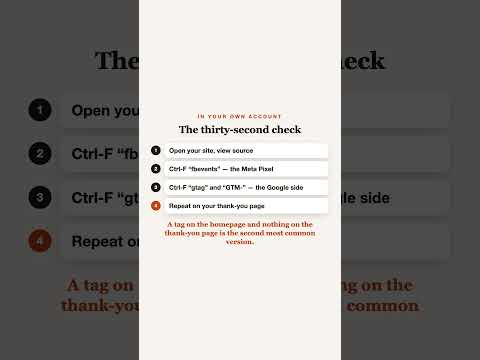
Open your homepage and view the source
Right-click → View Page Source (or Ctrl-U / ⌘-⌥-U)
A wall of HTML. You are not going to read it. You are going to search it.
Search for fbevents
Ctrl-F / ⌘-F, type
fbevents. A hit means the Meta Pixel is on the page. No hit means Meta is flying blind on this site.Search for gtag and for GTM-
gtagis the Google tag firing directly;GTM-is a Tag Manager container that may be firing it indirectly. Either counts; neither proves an event is being sent.Repeat on your thank-you page
The page someone lands on after enquiring is where the conversion is supposed to fire. A tag on the homepage and nothing on the thank-you page is the second most common version of this problem.
0 of 4 checked
What each result means
Meta can count clicks and nothing else. Every ad looks equally good, because none of them can report a sale, a lead or a call.
Next: Install the Meta Pixel first. It is the cheapest fix on this page and it changes what every future decision is based on.
Meta can see conversions; Google cannot. If you run both, half your spend is being judged on a different standard from the other half.
Next: Add the Google tag too, and make sure both fire on the same event.
You have a Tag Manager container, which may or may not be firing anything. This check cannot see inside it.
Next: Open Tag Manager and look at what is published. A container with no tags in it is common and invisible from outside.
The tag loads on the page, but nothing tells it that something happened. Page views get counted as success.
Next: Find the thing worth counting, form submit, WhatsApp tap, call, and fire the event there, not on page load.
What this check cannot tell you
It reads the homepage HTML, which is a narrow window. A Tag Manager container can fire tags this check will never see, and a tag can be present and still be pointed at the wrong event. So a clean result is not proof that everything works. It is proof that something is there to investigate.
The claim worth making, about your own site or anybody else’s, is the modest one: I could not see a conversion tag on the homepage. That is checkable in thirty seconds by whoever hears it, which is exactly why it is worth saying.
Why this is the first thing to fix
Every other decision in an ad account is downstream of it. Which creative to keep, which audience to widen, whether to raise the budget: all of it assumes you can tell a good outcome from a bad one. Without a working tag you are optimising towards clicks, and clicks are the one thing that is easy to buy cheaply and worth nothing on its own.
Sources
- Set up and install the Meta Pixel: Meta Business Help Center
Admiral runs this check on every landing page in your account, names the exact page missing the tag, and creates the conversion action for you, and on accounts we manage, it will put the tag on the site itself through Tag Manager, WordPress, FTP or a pull request.